Skip to content
Workshop open · 11am–9pmWorkshop closed · opens 11amBaner, PuneAuthorised for 25 brands

Desk AI PCfor local AIfrom ₹3.5 lakh.

One 32 GB graphics card (GPU) in a tower at your desk, for running open AI models (LLMs) privately. Built in Baner, Pune and timed on the model you plan to use before it ships.

  • Quotes ₹3.5–11 lakh, GST included
  • Parts list in 4 working hours
  • 1,000+ PCs since 2018 · Google 4.8

How fast does it answer?

For one person, about 21 times faster than you can read. With 16 people typing at the same moment, each still gets about 15 times reading speed.

Speeds are in tokens per second. One token is roughly ¾ of a word, and a reader manages around 5 per second, so 105 a second means the answer outruns your eyes.

  1. Just you, asking a question

    105tokens a second

    First word after 0.07 s. That is with draft-ahead on (the model guesses a few words, then checks them in one go); about 40 without it.

  2. Eight colleagues asking together

    96tokens a second each

    First word after 0.10 s

  3. Sixteen asking together: the team size we quote

    76tokens a second each

    First word after 0.14 s

  4. Thirty-two asking together

    69tokens a second each

    Only 22 run at once; the other ten wait up to 8 s to start

  5. You paste in a 32,000-token document (about 24,000 words)

    8.3 suntil it starts answering

    Then about 67 tokens a second, and it still found one fact we buried in the text, every time.

How many people, in one line: we quote it for 16; it runs up to 22 conversations at once before anyone waits, and about 11 when everyone asks about the same long document. Whole-machine totals (683 tokens a second at 8 people, 1,028 at 16) are below people × speed because they also count the moment before each reply starts.

Our test26 September 2026, on the RTX PRO 4500 Desk AI PC we built, running Qwen3.8 27B (Alibaba’s open model, NVIDIA’s 4-bit build). A different card or model? We measure your machine on yours before dispatch.

How we measured it

We sent 40 prompts covering code, explanations and writing; every reply was exactly 512 tokens long. One person asked ten times in a row; the group runs fired all their requests at once, twice each, after a warm-up. Qwen3.8 27B ran in its 4-bit NVFP4 build on vLLM 0.29.

Draft-ahead proposes three tokens and verifies them in a single pass: 105 tokens a second for one person against 40 with it off. Two cache settings raise the number running together from 11 to 22; the document cache that suits shared-file questions keeps it near 11.

At 32 people the machine as a whole produced 1,085 tokens a second. The document runs used 8,000 and 32,000 tokens of input; the shorter one started answering after 1.6 s.

The card sat at its 200 W limit and reached 78 °C in the speed runs. Only the RTX PRO 4500 has been through this test so far, not the RTX 5090 or R9700.

What runs in 32 GB, and what doesn’t?

Mid-size models in their compressed 4-bit form, like the 27B model we test with. 70B and 120B models won’t load: even compressed they need about 48 GB and up to 80 GB.

27B means 27 billion parameters, the model’s size. The GB figures are the graphics card’s own memory, and the whole model has to sit inside it.

  • 27B at 4-bit

    The everyday size for chat, coding help and documents. We test with Qwen3.8 27B.

    Runs well21.9 GB, with space for 16 conversations

    105tokens a second for one person

    Our test, Sep 2026

  • The same 27B at 8-bit

    A less compressed copy of the same model.

    Only just loads30.9 GB, nothing left to hold conversations

    Not usable on 32 GB, so we didn’t time it

    Our test, Sep 2026

  • Full-size 27B, or any 70B or 120B

    Like Llama 3.3 70B or gpt-oss 120B.

    Won’t loadFull 27B: 55.6 GB. 70B at 4-bit: about 48 GB. 120B: under 80 GB.

    The 96 GB Pro workstation runs these, ₹20–45 lakh

    Step up

  • Long inputs

    Whole reports, contracts or codebases pasted into one conversation.

    Up to 262,144 tokensAbout 229,000 with draft-ahead on (see the speeds above)

    8.3 sto start answering a 32,000-token document (about 24,000 words)

    Our test, Sep 2026

Teaching a big model your own data is a heavier job than asking it questions: fine-tuning a 70B model belongs on a Multi-GPU workstation.

Who it’s for

One person, or a team of up to 16, who want private AI without a big first spend.

  • One developer or researcher

    A machine of your own for trying open models, coding help and experiments, with no meter running by the hour.

    105 tokens a second, all yoursSwap models as often as you like

  • A small team’s private assistant

    Chat over your own files and notes for a department, with every prompt staying on a box in your office. The staff chat screen and the link to your files are set up on request.

    About 11 at once on shared files16 at once for everyday chat

  • A pilot before a bigger spend

    Prove local AI on real work first. If it outgrows 32 GB, the Pro workstation is the next machine up.

    Quotes from ₹3.5 lakhCard choice decides most of the price

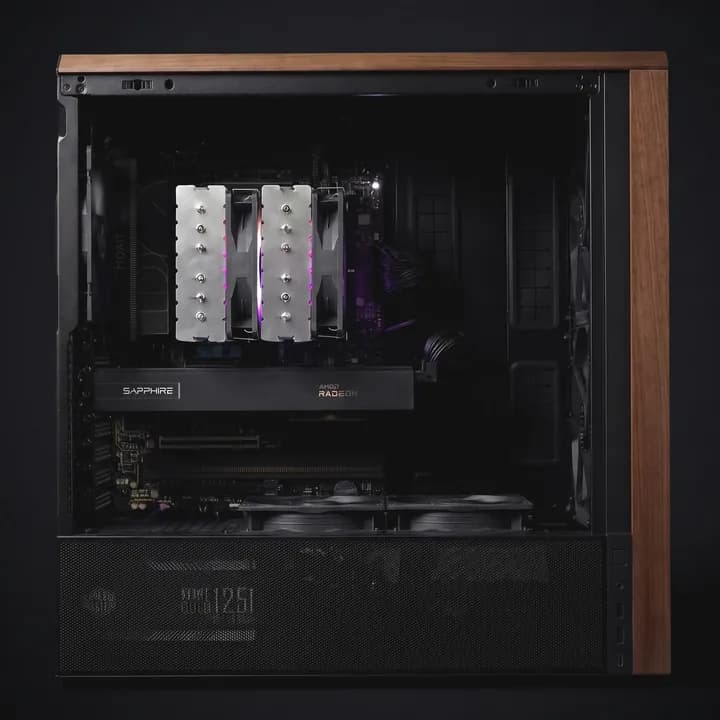
A Desk AI PC with an AMD Radeon AI PRO R9700, built in our Pune workshop: a black tower with wooden trim and its side open
Our photo: an AMD Radeon AI PRO R9700 in a wood-trimmed tower, built in Pune. The card is the black Sapphire one under the silver cooler.

Real builds

Two we built, one we measured

Both came out of our Baner, Pune workshop. The photo is an AMD R9700 build. The parts below are a different machine: the RTX PRO 4500 one behind every speed on this page, timed in September 2026.

The measured machine (not in the photo)

Graphics card (GPU)
NVIDIA RTX PRO 4500 Blackwell, 32 GB
Processor
AMD Ryzen 7 9700X, 8 cores
System memory
64 GB DDR5
Motherboard
ASUS ProArt X870E-Creator WiFi
Storage
1 TB WD_BLACK SN7100 NVMe drive
Software
Ubuntu Linux with vLLM serving Qwen3.8 27B

Yours gets memory, storage and a power supply chosen for your work, itemised in a spec sheet with the quote.

Which graphics card goes in?

All three have 32 GB of memory, so the same models fit. The difference is power, error-checking memory and price, and we choose it with you.

Several brands make it. The one in our build above is Sapphire’s.

Radeon AI PRO R9700

AMD Radeon AI PRO R9700

Memory
32 GB GDDR6
Memory speed
640 GB/s
Error-checking (ECC)
Yes, on Linux only
AI compute, peak
1,531 TOPS
Software
AMD ROCm
Power
300 W
Cooling and width
Fan, 2 slots
Screen outputs
Up to 4 DisplayPort
Middle of our quotes with it
About ₹3.5 lakh

Best when budget matters most and your AI software runs on AMD’s ROCm instead of NVIDIA’s CUDA.

The 200 W Workstation Edition, the version in our test machine.

RTX PRO 4500

NVIDIA RTX PRO 4500 Blackwell

Memory
32 GB GDDR7
Memory speed
896 GB/s
Error-checking (ECC)
Yes
AI compute, peak
1,617 TOPS
Software
NVIDIA CUDA
Power
200 W
Cooling and width
Fan, 2 slots
Screen outputs
4 DisplayPort
Middle of our quotes with it
About ₹9 lakh

Best when it runs all day in an office. The lowest power of the three, and error-checking memory.

The one we measured

An MSI GeForce RTX 5090 Gaming Trio OC graphics card with three fans

Example card: MSI’s RTX 5090 Gaming Trio OC. The brand depends on stock.

RTX 5090

NVIDIA GeForce RTX 5090

Memory
32 GB GDDR7
Memory speed
1,792 GB/s
Error-checking (ECC)
Not listed by NVIDIA
AI compute, peak
3,352 TOPS
Software
NVIDIA CUDA
Power
575 W
Cooling and width
Fans, width varies
Screen outputs
3 DisplayPort, 1 HDMI
Middle of our quotes with it
About ₹10.7 lakh

That middle includes gaming PCs built around a 5090.

Best when you want the fastest memory of the three, and there is room for a 575 W card and a 1,000 W supply.

Specs as AMD and NVIDIA publish them; sources in the details below. Prices: the middle of the Desk AI PC quotes we have sent with that card since June 2026, GST included, for the whole machine, not the card alone.

The technical details

Memory speed sets how fast one person’s answer appears, because the card reads the model from its memory for every word it writes. AI compute, in TOPS (trillions of operations a second), counts more when many people ask at once or paste long documents. AMD quotes its peak for 4-bit whole numbers and NVIDIA for 4-bit floating point, both with sparsity, so compare those loosely.

We have measured only the RTX PRO 4500, so we don’t quote speeds for the other two; we test your machine on your model before it ships.

Error-checking (ECC) memory finds and fixes memory errors, which matters for long runs. AMD supports it on the R9700 under Linux only, and Ubuntu Linux is what we set these machines up on. NVIDIA cards run CUDA; the R9700 runs AMD’s ROCm instead, so check that your AI tools support it.

Noise: we haven’t measured any of them in decibels. In our test the RTX PRO 4500’s fan peaked at about half speed under full load. The RTX 5090 draws nearly three times its power, so it needs more airflow and a bigger power supply: NVIDIA asks for 1,000 W in the whole system, and AMD for at least 750 W with the R9700.

Size: NVIDIA’s own RTX 5090 is two slots wide, and other brands’ versions vary, so we match the case to the exact card. The R9700 and RTX PRO 4500 are both two slots wide.

Sources: AMD Radeon AI PRO R9700, NVIDIA RTX PRO 4500, its datasheet, NVIDIA GeForce RTX 5090, NVIDIA’s Blackwell whitepaper (5090 memory speed). The RTX 5090 photo is from our own catalogue.

What does it cost?

₹3.5–11 lakh

Including GST, across the Desk AI PC quotes we have sent since June 2026. R9700 builds sit at the bottom; RTX PRO 4500 and RTX 5090 builds usually come in much higher.

  • About ₹3.5 lakhRadeon AI PRO R9700 builds: the bottom of the range
  • About ₹9 lakhRTX PRO 4500 builds, the card we measured
  • About ₹10.7 lakhRTX 5090 builds; that middle includes gaming PCs

Tell us your budget, for example ₹5 lakh, and we will say which card fits it.

Get my spec and price

It is not only the card

  • Processor and board. A desktop platform matched to the card; our measured machine uses a Ryzen 7 9700X.
  • System memory and storage. Our measured machine has 64 GB and a 1 TB drive; more if you keep big datasets or many models.
  • Power supply and case. Sized for a 200 W, 300 W or 575 W card.

Renting instead? Against one data-centre GPU from AWS Mumbai at its listed ₹213.96 an hour, 12 hours every day, a Desk AI PC covers its cost in about 4 months at ₹3.5 lakh, or about 12 at ₹11 lakh, after a company’s GST credit, electricity at our 0.4 kW estimate, and upkeep. Run the numbers for your hours

Will it fit at my desk?

Yes. It is one tower on a normal socket, and it needs no server room.

Space
One tower case, beside or under a desk. No rack and no server room.
Power
About 0.4 kW for a whole RTX PRO 4500 machine flat out, around ₹4 an hour, so an ordinary office socket copes. An RTX 5090 build gets a bigger power supply. A UPS is a good idea either way.
Noise
Not yet measured in decibels. Under full load in our test, the RTX PRO 4500’s fan stayed at about half speed.
Heat
The card topped out at 78 °C in the speed runs, and 84 °C during the longest document run.
Setup
It arrives with your model loaded and checked. Plug it in and join it to your network: we do this at your desk in Pune, and on a video call anywhere else.
Restarts
After a reboot the model is answering again within 30 to 90 seconds.
Timing
Parts list and price within 4 working hours; built and tested over days 1 to 5; running in about a week.
Delivery
Free doorstep delivery in Pune; insured shipping to the rest of India.
Software
Ubuntu Linux with the card’s drivers (CUDA, or ROCm on the R9700), vLLM or Ollama, PyTorch and Docker, set up before it leaves.
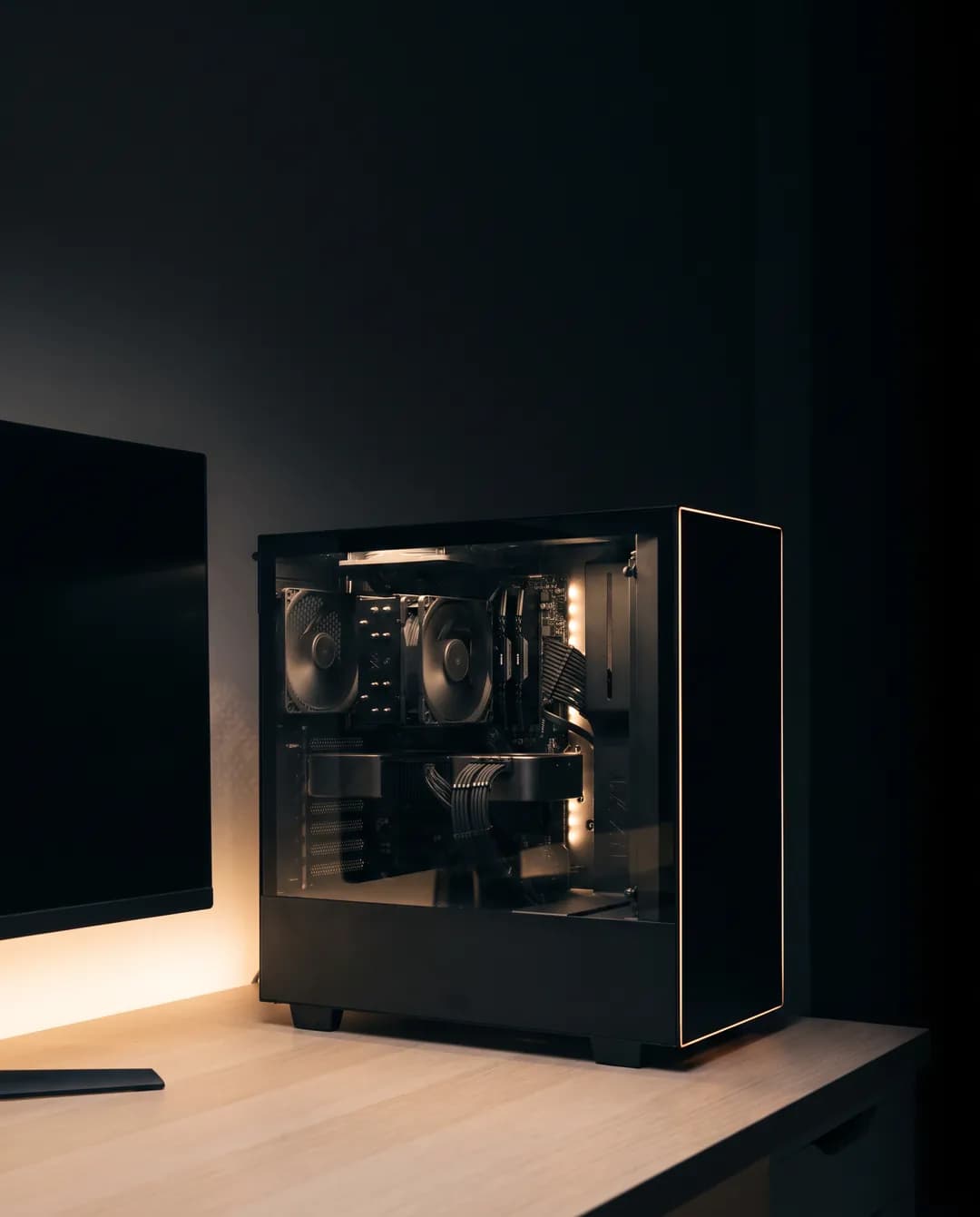
Wherever it ships, you get our 3-year service warranty: labour, diagnosis and claim handling free for 3 years, and parts covered by each maker’s warranty. A GST invoice and a formal quotation come with every machine. More on paperwork

Before your first AI machine

What people ask us before buying a 32 GB machine. Something else on your mind? Ask on WhatsApp.

R9700, RTX 5090 or RTX PRO 4500: which should I pick?

All three hold 32 GB, so the same models fit. Pick on budget and power. R9700 builds sit at the low end of our quotes but run AMD’s ROCm rather than CUDA. The RTX PRO 4500 is the low-power one with error-checking memory, and the one we have measured. The RTX 5090 has the quickest memory, draws 575 W and sits at the top end.

What will 32 GB stop me running?

Any 70B or 120B model, which want about 48 GB and up to 80 GB, and a 27B model at full size (55.6 GB). The 8-bit 27B loads but leaves no room to work. The Pro workstation’s 96 GB card holds all of these.

Is it quiet enough to sit next to me?

We haven’t put a decibel meter on it, so we won’t quote a number. In our full-load test the RTX PRO 4500’s fan peaked near half speed. The RTX 5090 has nearly three times the heat to move, so pick the RTX PRO 4500 if quiet matters most.

Can a gaming card like the RTX 5090 do real AI work?

Yes. It has the same 32 GB as the RTX PRO 4500 and runs NVIDIA’s CUDA software. What it lacks is error-checking (ECC) memory, which NVIDIA doesn’t list for it. We set it up to serve your team and test your model on it before dispatch.

Can I add a second card, and would two run a 70B model?

Say so on the form and we pick a board and power supply with room for one. On paper two cards make 64 GB, more than the roughly 48 GB a 4-bit 70B model needs, split across both. We haven’t built or timed that setup yet, so we don’t quote its speed or price; we spec it next to the Pro workstation’s single 96 GB card, which holds a 70B model by itself.

Why not a Mac Studio or a DGX Spark?

For one person who wants a bigger model, they can be the better buy: a Mac Studio with 96 GB lists at about ₹4.3 lakh in India, and NVIDIA’s DGX Spark with 128 GB at ₹6.5–7.1 lakh, and both load a 70B model. A Desk AI PC wins when several people share it (16 at once at the speeds above), when your tools need NVIDIA’s CUDA, which the Mac doesn’t run, or when you may swap the card later. We haven’t tested either of the others ourselves.

Start with the model you’d try.

Name the model, or just the job, and how many people will use it. We reply with a parts list and a price within 4 working hours, and say so if a cheaper card or a bigger machine suits you better.

  • R9700, RTX PRO 4500 or RTX 5090, chosen with you
  • Your model loaded and timed before dispatch
  • Set up at your desk in Pune, by video call elsewhere
Get your spec and priceReply within 4 working hours

Name, plus WhatsApp or email. The rest is optional.

You are (optional)

Budget (optional)

Free, with no deposit. We reply on WhatsApp or email.