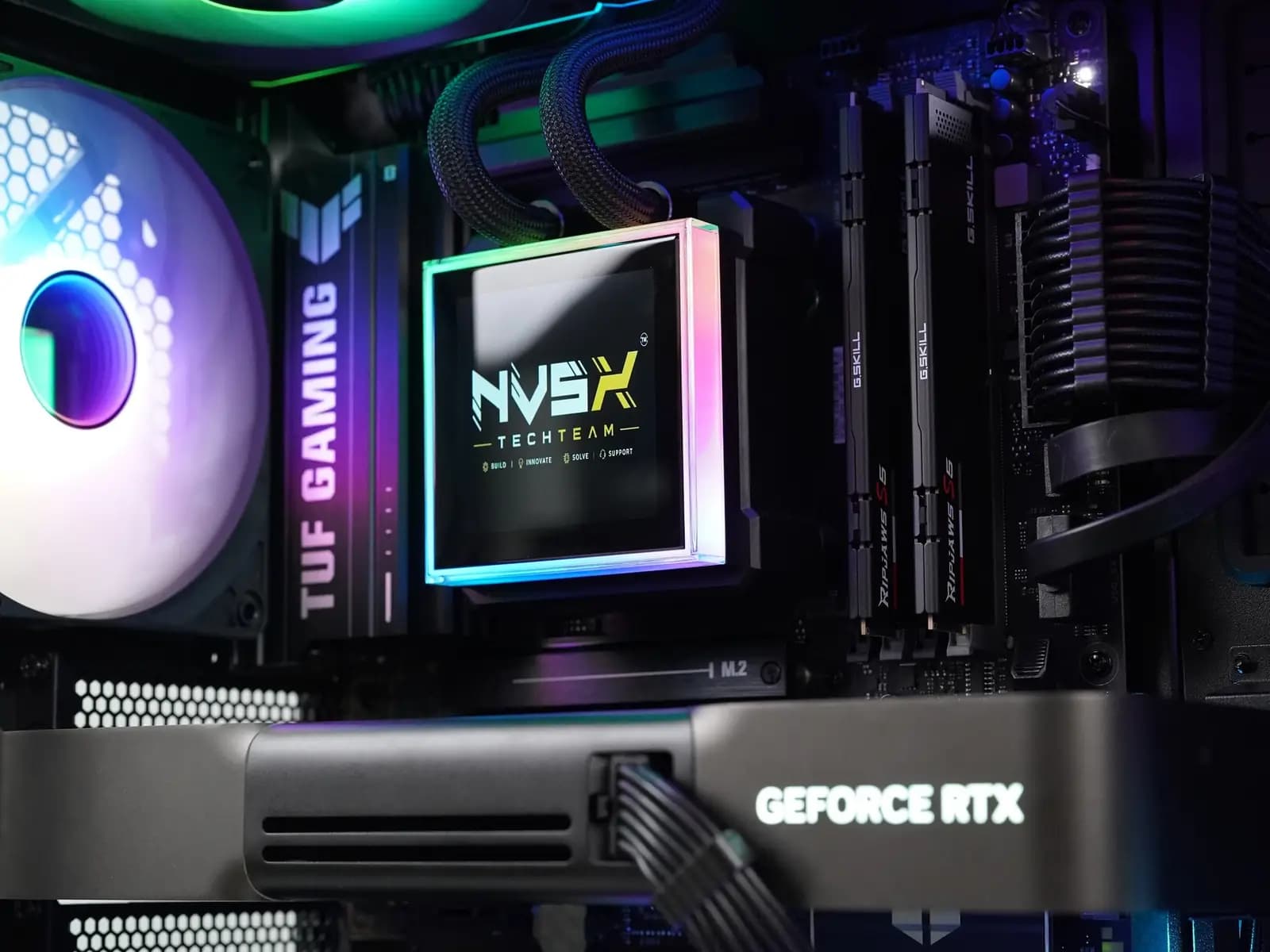
Pick your budget below. Each one shows the graphics card it buys, the frame rates to expect, a real PC we built at that price, and what you give up. We ship to any city in India.
3-year service warranty · 1,000+ PCs built since 2018 · 4.8 on Google
Authorised partner of AMD, NVIDIA, ASUS, Corsair, Intel, MSI, Lian Li and Razer
For each budget: the graphics card and its specs, the frame rates (fps, frames a second; 60 and up feels smooth; all without DLSS, NVIDIA’s frame booster), a real PC we built at that price, and the honest trade-off. Every price includes GST.
“Half of our quotes” is the middle half: a quarter of our quotes for that card came in lower and a quarter higher, depending on the processor, memory, storage and case. That’s why neighbouring ranges overlap.
Gaming PC under ₹2 lakh
₹1.5–2 lakh
Made for 1440p: big games at 60–75 fps on the highest settings.
The graphics cardRTX 5060 Ti 16 GB
Or AMD’s RX 9060 XT 16 GB, the card in the PC we show here. The frame rates are the RTX 5060 Ti’s.
RTX 5060 Ti
RX 9060 XT
Graphics memory
16 GB
16 GB
Memory type
GDDR7
GDDR6
Power rating
180 W
160 W
Example shown: PNY RTX 5060 Ti 16 GB. The brand depends on stock.
A PC we built, Sep 2026RX 9060 XT 16 GB + Ryzen 5 7500F
The dashed line is 60 fps: above it, big games feel smooth. CS2 is Counter-Strike 2 on high, on the same Ryzen 7 9800X3D test PC. With the Ryzen 5 in these PCs, expect it to run lower.
ProcessorA 6-core Ryzen 5, such as the 9600X or 7500F
ScreenA sharp 27-inch 1440p monitor
Whole PCFrom ₹1.5 lakh. Half of our RTX 5060 Ti quotes land at ₹1.9–2.1 lakh.
What you give up 4K on top settings: about 40 fps in big games. Counter-Strike 2 at 1440p averages 200–250 fps even on the Ryzen 7 9800X3D test PC, so it won’t always keep up with a 240 Hz monitor.
The dashed line is 60 fps: above it, big games feel smooth. CS2 is Counter-Strike 2 on high, on the same Ryzen 7 9800X3D test PC. With the Ryzen 5 in these PCs, expect it to run lower.
ProcessorMost often a 6-core Ryzen 5 9600X in our quotes
ScreenA 1440p monitor
Whole PCHalf of our RTX 5070 quotes land at ₹2.0–2.7 lakh.
What you give up Smooth 4K on top settings: 45–55 fps in big games. For 60–70 fps at 4K you need an RTX 5070 Ti, with 16 GB; our builds with it start at ₹2.6 lakh.
The dashed line is 60 fps: above it, big games feel smooth. CS2 is Counter-Strike 2 on high, on the same Ryzen 7 9800X3D test PC.
ProcessorAn 8-core Ryzen 7: the 9800X3D in our typical build, a 9700X in the one shown
ScreenA 4K monitor or a big 4K TV
Whole PCHalf of our quotes land at ₹2.9–3.5 lakh with an RTX 5070 Ti, ₹4.0–4.7 lakh with an RTX 5080.
What you give up The RTX 5080 adds about 5 fps at 4K over the 5070 Ti in these averages, while the middle of our 5080 quotes sits about ₹1.1–1.2 lakh higher (whole PCs, not just the cards). And 100 fps at 4K on top settings takes an RTX 5090.
Between ₹5 and ₹8.5 lakh? Our usual builds jump from RTX 5080 PCs (three quarters of those quotes come in under ₹4.7 lakh) to RTX 5090 PCs (from ₹8.5 lakh). Tell us your budget and games, and we’ll quote what it buys.
Gaming PC above ₹8.5 lakh
₹8.5 lakh and up
4K at 100–110 fps on the highest settings without DLSS, on an RTX 5090.
The graphics cardRTX 5090 32 GB
Graphics memory
32 GB
Memory type
GDDR7
Power rating
575 W
Example shown: MSI RTX 5090 Gaming Trio. The brand depends on stock.
The dashed line is 60 fps: above it, big games feel smooth. CS2 is Counter-Strike 2 on high, on the same Ryzen 7 9800X3D test PC.
ProcessorA 16-core Ryzen 9 9950X3D or 9950X
ScreenA fast 4K monitor
Whole PCFrom ₹8.5 lakh. Half of our RTX 5090 quotes land at ₹9.3–12.0 lakh.
What you give up Value. In these averages the 5090 gives about half again the 4K frames of a 5080 (100–110 against 65–75), while the middle of our 5090 quotes is more than twice the 5080’s, for the whole PC. It also needs a 1200 W or bigger power supply.
Where the numbers come from. Frame rates are averages published by Tweakers, Tom’s Hardware and TechPowerUp, all tested with a Ryzen 7 9800X3D. Whole-PC prices span the middle 50% of what we quoted since April 2026 for PCs built around each card. Card memory and power ratings are NVIDIA’s and AMD’s published specs. Your games and prices will vary.
The cheapest card that keeps big games above 60 fps on the highest settings, and Counter-Strike 2 above 240 fps (above 120 fps at 4K). Find your screen, then read across.
Your monitor
For big games
For esports (Counter-Strike 2)
1080pFull HD
Big gamesRTX 5060 Ti85–105 fps · half of our quotes ₹1.9–2.1 lakh
Big gamesRTX 5060 Ti60–75 fps · half of our quotes ₹1.9–2.1 lakh
EsportsRTX 5070290–360 fps · half of our quotes ₹2.0–2.7 lakh
4KBig monitor or TV
Big gamesRTX 5070 Ti60–70 fps · half of our quotes ₹2.9–3.5 lakh
EsportsRTX 5070150–190 fps · half of our quotes ₹2.0–2.7 lakh
Why the same card twice? The RTX 5060 Ti already clears 60 fps at 1440p, so it covers 1080p too. Prefer AMD? Our ₹1.5–2 lakh builds also use the Radeon RX 9060 XT 16 GB in its place; the published tests above don’t cover it, so ask us how it suits your games.
What should a gaming PC quote list?
Use this on any quote, ours or another shop’s. If a line is missing or vague, ask for it before you pay.
The quote checklist
Under each line, how it reads on the build sheet of our RTX 5070 PC in the ₹2–3 lakh budget.
The memory line: two Kingston 16 GB DDR5 sticksThe cooling line: its Thermaltake 360 mm liquid cooler
Power supply: brand, model and wattage
“750 W” alone doesn’t say which unit you get. Ask for the model and its efficiency rating, such as 80 Plus Bronze or Gold.
Reads like MSI MAG A750BN, 750 W, 80 Plus Bronze
Motherboard: the exact board and chipset
The chipset (B850, X870, Z890 and so on) decides the board’s features, from drive slots to USB ports.
Reads like MSI B850M Gaming Plus WiFi 6E (B850 chipset)
Memory: size, speed and timing
Two matched sticks, the speed in MHz and the latency (CL). “32 GB RAM” leaves all three out.
Both can be good buys. We don’t sell prebuilts: every PC we sell is built to order, so a custom build takes longer. You get a dispatch date when you confirm.
A prebuilt is fine if
You need the PC this week.
The seller names every part, down to the checklist above.
The price is close to what those parts cost on their own.
Go custom if
You want particular parts, a particular case or a quieter build.
You want the PC sized to one monitor or one game.
You want to see full-load temperatures before it ships.
You edit video or work in 3D as well. Our editing and 3D PCs start from the software you use.
Quotes and support run on WhatsApp and the phone, so your city changes very little.
Paying
Half when you confirm the quote, the balance before the PC leaves us. UPI, bank transfer or card; your card’s bank can turn a card payment into EMI.
Tested before it’s packed
Every PC runs at full load on our bench while we log its temperatures. The numbers and photos of your own PC reach you before it ships.
Packed and insured
A double-walled box, foam all round and film over the glass, sent by insured courier to any city in India.
If it arrives faulty
Report it within 72 hours, with an unedited unboxing video, and we repair or replace it.
Support and claims from a distance
We help by phone and remote session. In the first 30 days we pay shipping both ways for a fix; after that, you send it to us and we pay to send it back. For 3 years labour, diagnosis and claim handling are free and we deal with the makers; parts follow each maker’s warranty.
Doorstep help, if you want it
Optional Premium support stretches the warranty to 4, 5 or 6 years for 5%, 9% or 12% of the PC’s price. It adds shipping paid both ways after the first month, a loaner part while yours is replaced, and help at your door in major metros (ask about your city).
In or near Pune? Our Pune page has the workshop address and opening hours.Custom PCs in Pune
Gaming PC buyers ask us.
Money, cards, delivery and warranty. Not answered here? Put your question in the form below.
How much should I spend on a gaming PC in India?
Match it to your monitor. Half of our quotes for a PC around an RTX 5060 Ti land at ₹1.9–2.1 lakh (made for 1440p); around an RTX 5070 Ti, ₹2.9–3.5 lakh (4K); around an RTX 5090, ₹9.3–12.0 lakh. All with GST, and our builds start at ₹1.5 lakh.
Is ₹2 lakh enough for 1440p gaming?
Yes. In published tests an RTX 5060 Ti 16 GB averages 60–75 fps in big games at 1440p on the highest settings, without DLSS. Half of our quotes for PCs built around it land at ₹1.9–2.1 lakh.
What is the cheapest way to play at 4K?
An RTX 5070 Ti: 60–70 fps in big games at 4K on the highest settings, before DLSS. Half of our quotes for a PC around it land at ₹2.9–3.5 lakh, and our builds with it start at ₹2.6 lakh. Turning DLSS on raises those frame rates.
Is the RTX 5080 worth it over the RTX 5070 Ti?
In the averages we use, the gap at 4K is about 5 fps (65–75 against 60–70). The middle of our 5080 quotes sits about ₹1.1–1.2 lakh higher, for the whole PC, not just the card. Tell us your games and we’ll quote both side by side.
Do I need an RTX 5090?
Only for 4K at 100–110 fps on the highest settings without DLSS. Half of our 5090 quotes land at ₹9.3–12.0 lakh, more than twice the middle of our 5080 quotes.
Can you deliver a gaming PC to my city?
Yes, anywhere in India, by insured courier, in a double-walled box with foam all round and film over the glass. Ask for the courier time to your city with your quote.
How long until I get my PC?
Your itemised quote usually comes the same day. When you confirm with the 50% advance, you get a dispatch date in writing; the courier time to your city comes on top of that.
How do warranty claims work if I’m not in Pune?
Call or WhatsApp us. We start by phone and remote session. If it has to come back in the first 30 days, we pay shipping both ways; after that, you send it and we pay the return. For 3 years, labour, diagnosis and claim handling are free; parts follow each maker’s warranty.
How do I pay, and can I use EMI?
Half when you confirm, the balance before dispatch, by UPI, bank transfer or card. For EMI, pay by credit card and ask your card’s bank to convert it.
Do you build with AMD Radeon cards?
Yes. We’re an authorised partner of both AMD and NVIDIA. The PC shown in the ₹1.5–2 lakh budget uses a Radeon RX 9060 XT 16 GB.
Can you check a quote I got somewhere else?
Yes, free. Send the parts list on WhatsApp and we’ll go through it line by line, using the checklist on this page.
Have a budget? Get it itemised.
Send your budget, your games and your monitor. The quote is free and names every part line by line, like the checklist above.
An itemised quote Every part named, power supply to case, on WhatsApp.
A dispatch date In writing, once you confirm with half the price.
Insured delivery Packed for the courier and sent to your city.